

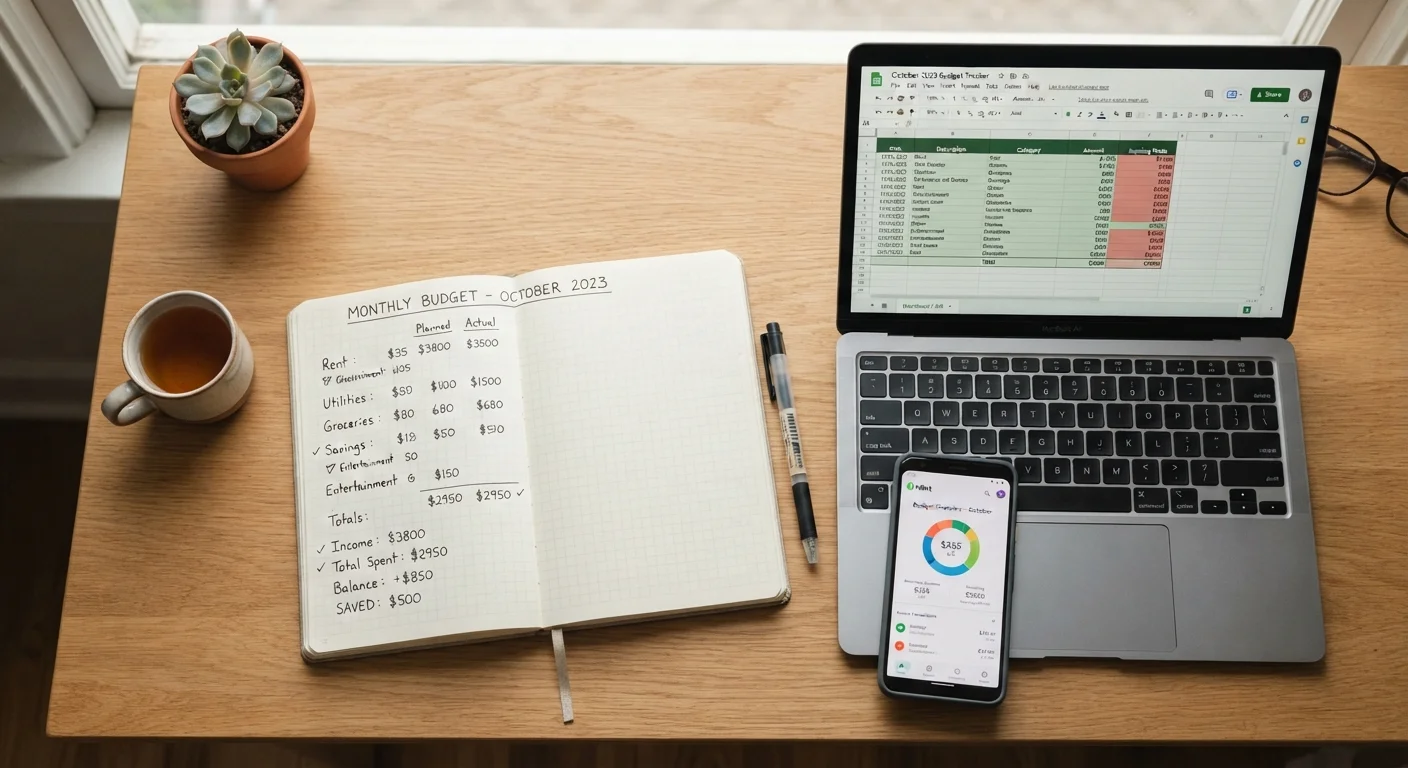
Key Takeaways
- No single tracking method works best for everyone - consistency matters more than the tool itself.
- Apps offer automation and real-time alerts but require sharing financial account access.
- Spreadsheets give full customization but demand regular manual upkeep to stay useful.
- Pen and paper builds strong spending awareness through the act of writing things down.
- Combining methods - such as a paper log plus a monthly spreadsheet review - is a valid strategy.
Our Verdict
Each tracking method has genuine strengths and real drawbacks. Apps suit those who want automation and don't mind linking accounts. Spreadsheets fit detail-oriented people comfortable with some ongoing setup. Pen and paper works well for building new habits or simplifying an overly complicated system. The method you'll actually stick with is the right one.
| Best for | Recommended |
|---|---|
| Those who want automated tracking with minimal manual input | App |
| Detail-oriented users who want full control over categories and formulas | Spreadsheet |
| Beginners or anyone rebuilding awareness of daily spending habits | Pen and Paper |
| Variable-income earners who need a flexible, low-tech system | Pen and Paper or Spreadsheet |
Why the Tracking Method Matters
Knowing where your money goes is the foundation of any spending plan. But the way you record that information shapes whether the habit actually sticks. A system that feels like a chore gets abandoned within weeks. One that fits your routine gets used month after month - and that's what builds real financial awareness.
The three most common approaches are budgeting apps, personal spreadsheets, and handwritten logs. Each has a different learning curve, privacy profile, and time cost. Understanding those trade-offs upfront saves you from building a system you'll quietly quit. For a broader look at how spending categories map to a complete budget, see what spending categories belong in a monthly budget.
| Spreadsheet | App | Pen and Paper | |
|---|---|---|---|
| Setup effort | Moderate - build your own template | Low - guided onboarding | Minimal - just start writing |
| Ongoing time cost | High - weekly manual entry | Low - mostly automated | Moderate - log each purchase |
| Customization | Unlimited | Limited to app features | Fully flexible |
| Privacy risk | Low - data stays local | Higher - account linking required | None - fully offline |
| Accuracy | High if kept current | Moderate - auto-categorization errors | As accurate as your entries |
| Best for | Detail-oriented users | Busy, tech-comfortable users | Beginners or habit-builders |
Budgeting Apps: Convenience With Trade-Offs
App-based tracking is the most automated option. Many apps connect directly to your bank and credit card accounts, categorizing transactions automatically and flagging when you're nearing a spending limit. For someone with a busy schedule or multiple accounts, this can cut the manual work dramatically.
The main trade-offs are privacy and accuracy. Linking financial accounts to a third-party app means sharing sensitive credentials or account data - something worth researching before you sign up. Automated categorization also makes mistakes: a grocery run gets filed under dining, or a medical copay lands in entertainment. Periodic review is still required.
Understand App Data Sharing Before You Connect
When a budgeting app asks to link your bank accounts, review its privacy policy carefully. Understand whether your transaction data is sold, aggregated, or used for marketing. Look for apps that use read-only access and two-factor authentication. If you're uncomfortable sharing account credentials, a spreadsheet or paper log gives you the same tracking power without the data exposure.
Apps tend to suit people who already have a stable, predictable income. If your cash flow varies month to month - as it does for freelancers or gig workers - you may find that budgeting on an irregular income requires more manual control than most apps comfortably provide.
Spreadsheets: Full Control, More Effort
A spreadsheet - built in any standard program - lets you design exactly the categories, formulas, and views that match your household. You can build a tab for monthly totals, a running year-to-date summary, or a debt payoff tracker, all in one file. That flexibility makes spreadsheets popular with people who like numbers and want granular insight.
The cost is time. Entering every transaction manually is realistic only if you do it consistently - ideally weekly. Falling two or three weeks behind makes the catch-up feel overwhelming, and many people abandon the habit at that point. A well-maintained spreadsheet pairs naturally with a monthly budget review checklist to keep things on track.
Keep Your Spreadsheet Simple at First
A common mistake is building an elaborate spreadsheet before you've established the tracking habit. Start with just five or six broad categories - housing, food, transport, utilities, discretionary, and savings - and add detail only once the weekly entry routine feels natural. Complexity added too early is one of the top reasons people abandon spreadsheet-based budgets.
Spreadsheets also work well alongside structured budgeting methods. If you're weighing a zero-based approach or an envelope system, see zero-based budgeting vs. the envelope method for a side-by-side comparison.
Pen and Paper: Slow and Intentional
Writing down every purchase by hand is deliberately slower than the other methods - and that's part of its value. Research in behavioral finance suggests that the physical act of recording a number increases awareness of it. Many people find that a handwritten log, even a simple one, curbs impulse spending more effectively than an app that logs everything silently in the background.
The limitations are scale and searchability. A paper log doesn't auto-total your restaurant spending for the month or alert you when a category runs over. It also can't be shared easily with a partner or exported for analysis. It works best as an entry point - a habit-builder - or as a deliberate simplification for someone whose digital system has become too complicated to maintain.
Regardless of which method you choose, the goal is the same: a clear, honest picture of your monthly cash flow. The tracking tool is just the means to that end. For those interested in how apps fit into a broader productivity system, productivity apps and what each one solves offers useful context.
This article is for general informational and educational purposes only and does not constitute personalized financial advice. Consult a qualified financial professional for guidance specific to your situation.