

| Apple label launch | December 2020 (Apple App Store developer documentation) |
| Google equivalent | Data safety section, Google Play (Google Play Console Help) |
| Who fills out the label | App developers (self-reported) (Both Apple and Google require developer self-disclosure) |
| Where to find it | App listing page, before the install button |
| Key Apple sub-labels | Data Used to Track You / Data Linked to You / Not Linked to You (Apple App Store privacy label framework) |
| Independent verification | Limited - stores do not fully audit developer submissions (Noted in both Apple and Google developer policy documentation) |
What App Privacy Labels Are - and Where to Find Them
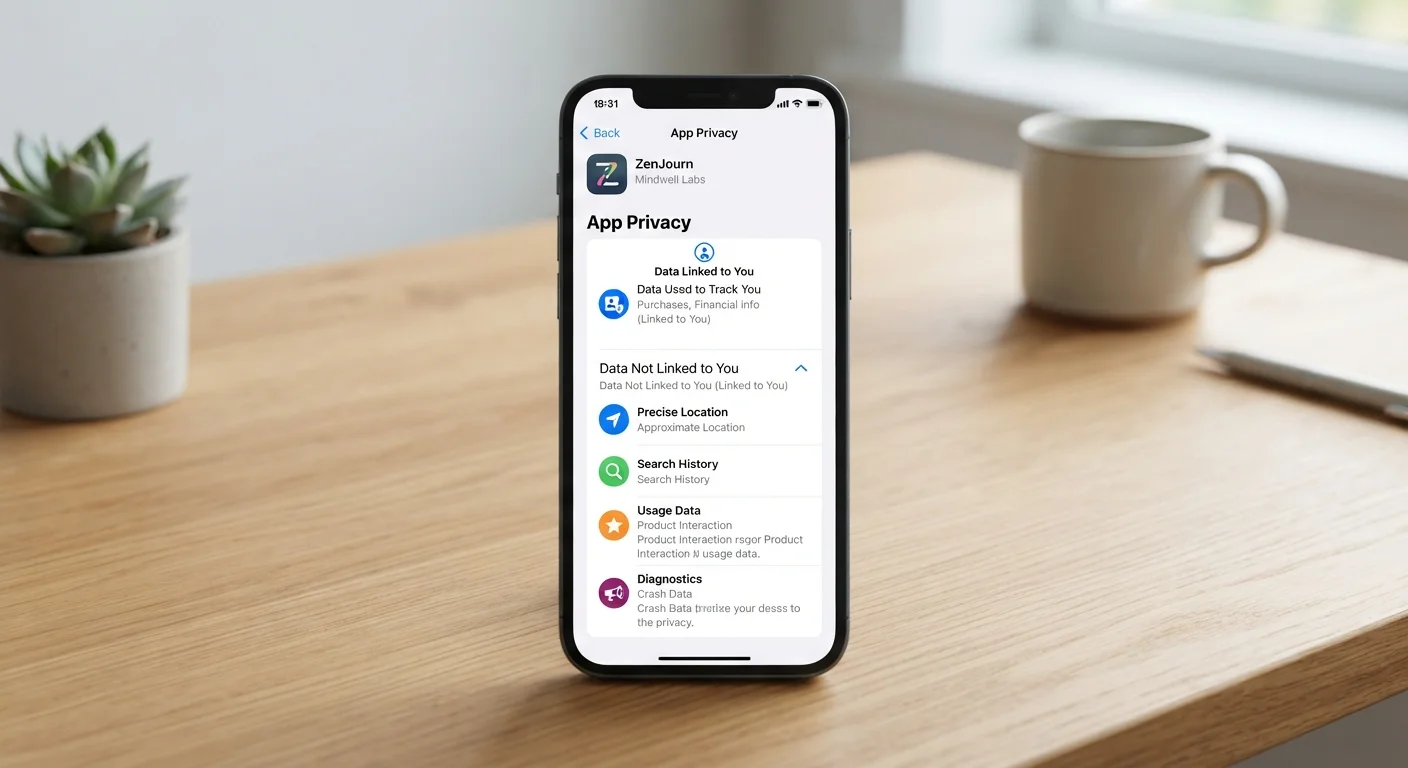
App privacy labels are standardized disclosures shown on an app's store listing page. They summarize what types of data the app collects, how that data is used, and whether it is linked to your identity. Think of them as a nutrition label for your personal information.
Apple introduced privacy labels on the App Store in late 2020; Google followed with its own Data safety section on Google Play. Both are self-reported by developers, meaning the app maker fills out the form - the stores conduct limited independent verification. That context matters when you're reading them.
To find a privacy label, scroll down on any app's store listing page. On iOS, look for the App Privacy section. On Android, look for Data safety. Both appear before you tap the install button, which is exactly when you want to check them.
| Apple label launch | December 2020 (Apple App Store developer documentation) |
| Google equivalent | Data safety section, Google Play (Google Play Console Help) |
| Who fills out the label | App developers (self-reported) (Both Apple and Google require developer self-disclosure) |
| Where to find it | App listing page, before the install button |
| Key Apple sub-labels | Data Used to Track You / Data Linked to You / Not Linked to You (Apple App Store privacy label framework) |
| Independent verification | Limited - stores do not fully audit developer submissions (Noted in both Apple and Google developer policy documentation) |
Understanding what's in these labels connects directly to how you manage access after installation. See our guide to managing app permissions for steps to audit what you've already approved.
Decoding the Data Categories
Both stores divide collected data into categories. Here are the most common ones and what they actually mean in practice:
Contact Info
Data such as your name, email address, phone number, or physical address. When linked to your identity, this is among the most sensitive categories because it can be used to identify you directly.
Identifiers
Device IDs, advertising IDs, or other unique codes tied to your phone or account. These allow advertisers and analytics firms to recognize and track you across different apps and sessions.
Usage Data
Records of how you interact with the app - which features you tap, how long you use it, and what content you view. Often used to personalize the experience or improve the product, but also commonly shared with analytics partners.
Location
Precise GPS coordinates or approximate area derived from your network connection. Precise location is one of the higher-risk data types because it can reveal where you live, work, and travel.
Sensitive Info
A catch-all category covering health and fitness data, financial details, racial or ethnic origin, and similar information. Collection of this type by an unrelated app warrants careful scrutiny.
Data Linked to You
Information that is connected to your account, device, or a persistent identifier. This is distinct from anonymized data because it can be traced back to you as an individual.
Third-Party Sharing
When an app passes your data to external companies - such as advertising networks, analytics providers, or data brokers - rather than keeping it solely within the app or its parent company.
On Apple's App Store, each category is further split into two sub-labels: Data Used to Track You (information shared with third parties for advertising or combined across apps) and Data Linked to You (tied to your account or device). Data labeled Not Linked to You is collected anonymously and generally poses lower privacy risk.
Google Play uses a similar distinction between data that is shared with third parties and data that is simply collected for internal app function. It also flags whether data collection is optional or required to use the app at all - a useful signal when you're deciding whether an app is worth the trade-off.
Red Flags Worth Pausing On
Not all data collection is cause for alarm - a mapping app legitimately needs location data. But certain patterns deserve a second look before you install:
- Sensitive categories collected by unrelated apps: A flashlight or simple game app that lists health data, financial information, or precise location as collected data is worth questioning. The explanation of what permissions actually grant can help you think through whether those requests make sense.
- Data used for tracking or advertising: The App Store's orange Data Used to Track You label flags information shared with ad networks. If you prefer not to be profiled across apps, this label tells you what to expect.
- "Data Not Provided" on Google Play: Some developers skip the Data safety form entirely. A blank section doesn't mean no data is collected - it may mean the developer hasn't disclosed it yet.
- Required data collection with no opt-out: If an app marks data as required and it seems unrelated to the app's core function, that's worth weighing carefully.
Labels Are Self-Reported - Verify When It Matters
Neither Apple nor Google independently audits every privacy label for accuracy. Developers attest that their disclosures are correct, but errors and omissions do occur. If an app will have access to particularly sensitive data - health information, financial details, children's accounts - it's worth reading the developer's full privacy policy in addition to the store label before installing.
Privacy labels won't tell you everything. For apps from outside official stores, there is no label system at all - our overview of sideloading risks and considerations covers what you give up when you go that route.
Using Labels as Part of a Broader Download Decision
Privacy labels are one input, not the final word. Pair them with a few other quick checks for a fuller picture:
- Read the developer's privacy policy link - available on all store listings - for specifics on data retention and third-party sharing partners.
- Check the app's permissions after install and revoke any that don't match what the label disclosed as necessary.
- Consider the developer's reputation - established publishers with consistent policies and transparent update histories generally carry lower risk than anonymous or newly registered accounts.
Knowing how an app reaches you in the first place is also useful context. Our article on how app store rankings work explains why high placement doesn't equal trustworthiness.
Privacy labels are still a relatively young consumer tool, and their accuracy depends on honest developer self-reporting. Used alongside permissions review and basic developer research, they give you a meaningful head start on understanding what an app wants from you - before it's already installed.
80%+
Of top apps collect at least one form of user data
Analysis published by various app research organizations has consistently found the large majority of popular apps report collecting some form of user data in their privacy labels.
~25%
Of Android apps left Data safety section blank at launch
Early audits after Google Play's Data safety section launched found a substantial share of apps had not yet completed their disclosures.