

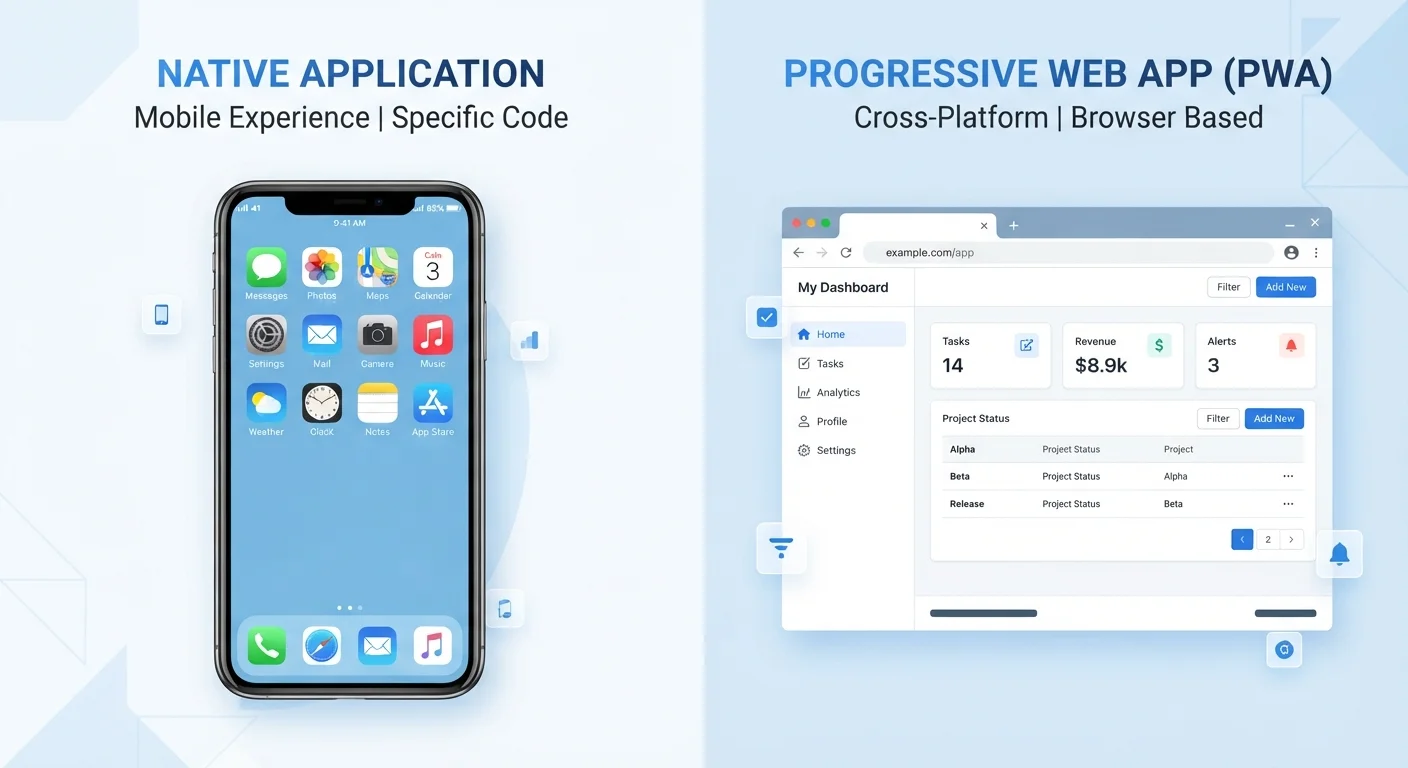
Key Takeaways
- Native apps are installed on your device and built specifically for one operating system, like iOS or Android.
- Web apps run inside a browser and require no installation, but rely on an internet connection to function.
- Native apps generally perform faster and can access device hardware like your camera, GPS, and sensors.
- Web apps are easier to update, work across devices, and avoid app store permission requirements.
- Your choice between the two often comes down to how frequently you use a tool and what features you need.
Option A
Native Apps
The purpose-built, device-integrated choice.
Best for: Users who want maximum performance, offline access, and deep integration with their phone's hardware and features.
Option B
Web Apps
The flexible, cross-device accessible alternative.
Best for: Users who value convenience, no installation required, and access from any device with a browser.
If you need offline access or high performance
Native Apps
Native apps store data locally and are optimized for your specific device, making them far more reliable without a connection and noticeably snappier in daily use.
If you want to try a tool quickly without committing to an install
Web Apps
Web apps require no download or account setup to explore, making them ideal for one-time tasks or testing a service before committing.
If you switch regularly between a phone, tablet, and computer
Web Apps
Because web apps run in any browser, your work and settings stay consistent regardless of which device you're using.
If privacy and permission control matter to you
Web Apps
Web apps generally request fewer device permissions than native apps, reducing the amount of data and hardware access they can reach.
What Actually Makes an App 'Native'
A native app is software built specifically for one operating system - iOS or Android - and installed directly on your device. When you download something from the App Store or Google Play, that's a native app. It's written in code that the operating system understands natively, which is where the name comes from.
Because native apps are designed for a specific platform, they can tap directly into your device's hardware: the camera, microphone, GPS, accelerometer, and notification system. This deep integration is why your navigation app can track your movement in the background or why your camera app launches nearly instantly.
Native apps also store data locally on your device, which means many of them work even without a Wi-Fi or mobile data connection. For context on how connectivity affects your apps day-to-day, see our guide on when to use mobile data vs. Wi-Fi.
The trade-off is that native apps must be downloaded, updated, and managed individually. They also go through an app store review process, which adds a layer of oversight - but also means you're granting permissions at install time.
How Web Apps Work and Where You've Already Used Them
A web app is essentially a website that behaves like an application. You access it through a browser - Chrome, Safari, Firefox - rather than installing anything. Tools like Google Docs, Trello, and most online banking dashboards are web apps. You may already use several every day without thinking of them that way.
Web apps are built using standard web technologies (HTML, CSS, and JavaScript), which means they work across platforms. The same web app runs on your iPhone, your Android tablet, and your Windows laptop without needing separate versions of itself.
| Criterion | Native Apps | Web Apps |
|---|---|---|
| Installation required | Yes, via app store | No, browser only |
| Works offline | Yes, for most features | Limited or no |
| Device hardware access | Full (camera, GPS, sensors) | Restricted by browser |
| Performance | Generally faster | Adequate for most tasks |
| Cross-device compatibility | One OS per version | Any device with a browser |
| Updates | Manual, user-triggered | Automatic, server-side |
| Storage use | Uses device storage | Minimal local footprint |
| Permission requests | Explicit, per-feature | Fewer, browser-mediated |
Because web apps live on remote servers, updates happen automatically and instantly. There's no prompt asking you to install version 4.2.1 - the developer pushes the update and the next time you load the page, you're already on the latest version.
The main limitation is connectivity. Most web apps require an active internet connection to function fully. A subset, known as Progressive Web Apps (PWAs), can cache some content for offline use, but this remains more limited than what a native app can do offline.
Performance, Privacy, and Permissions: Where They Differ Most
For everyday tasks like reading articles or filling out forms, you're unlikely to notice a performance gap between native and web apps. But for anything demanding - video editing, augmented reality, real-time gaming - native apps hold a clear advantage because they run closer to the hardware.
Privacy is a more nuanced comparison. Native apps request specific device permissions - access to your contacts, location, camera, and so on - which you grant when installing or first opening the app. Understanding what you're agreeing to matters, and our guide on what app permissions actually mean walks through that in detail. Web apps, by contrast, are sandboxed inside the browser and have more limited access to your hardware and data.
230B+
Annual app downloads globally
Statista reported over 230 billion app downloads worldwide in 2021, reflecting how central native apps have become to daily device use.
~50%
Mobile web vs. app traffic split
Industry analysts have observed that mobile web browsing and native app usage each account for roughly half of total mobile time, though this varies significantly by category.
That said, web apps aren't automatically safer. They can still track behavior through cookies and scripts. The browser itself acts as a gatekeeper, but that doesn't eliminate all privacy considerations.
If you want to go deeper on auditing what your installed apps can access, our article on managing app permissions is a practical next step.
How to Decide Which Type Makes Sense for You
The choice isn't always one or the other - many services offer both a native app and a web app, and using both is common. A few questions can help you decide which to reach for:
- How often will you use it? Daily-use tools often benefit from a native app's speed and home screen access. Occasional tools may not be worth the install.
- Do you need it offline? If you're on a plane, commuting through a tunnel, or in a low-signal area, native apps are more reliable.
- Are you on multiple devices? If you start work on your phone and finish on a laptop, a web app keeps everything in sync without extra effort.
- How much storage do you have? Native apps occupy storage space. On devices with limited capacity, web apps offer the functionality without the footprint.
You might also consider the broader ecosystem you're in. The differences between iPhone and Android can affect which native apps are available to you and how they perform. And if you're evaluating a tool's pricing model alongside its app type, our breakdown of freemium vs. subscription apps is worth reading alongside this one.
Neither native nor web apps are universally superior. They reflect different priorities - depth versus accessibility, performance versus convenience - and understanding that distinction helps you get more from the software you choose.